


Please follow this procedure to load content onto your Seagate Wireless Plus or GoFlex Satellite device via the USB connection in Windows:
- Connect the included USB adapter and cable to the Seagate Wireless Plus or GoFlex Satellite device.
- Connect the USB cable to the computer.
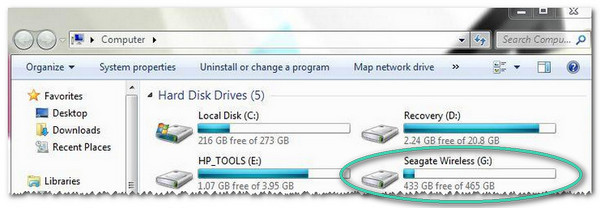
- Double-click on (My) Computer.
(Windows 8: Press the Windows key + D, then select File Explorer) - Locate the Wireless Plus or Satellite drive.
- Drag and drop or copy and paste your media files to the drive.


